Wheeltab: Convenient Tab Navigation with Your Mouse Wheel
Wheeltab is a free Chrome add-on developed by Mat. It falls under the category of Browsers and specifically the subcategory of Add-ons & Tools. This handy tool allows you to switch between open tabs in Chrome using your mouse wheel.
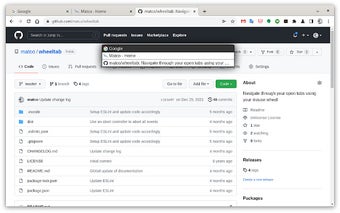
To use Wheeltab, simply press and hold the left button of your mouse without moving it. A menu will appear, showing a list of your open tabs. Now, you can use your mouse wheel to scroll through the tabs in the menu. When you find the tab you want to switch to, release the left button, and you will be instantly taken to that tab. If you decide to stay on your current tab, you can simply press the "Escape" key to close the menu.
With Wheeltab, navigating through multiple tabs becomes much more convenient and efficient. Say goodbye to the hassle of clicking on tiny tab icons or searching for the right tab in a cluttered tab bar. Wheeltab simplifies the tab-switching process, making it a breeze to jump between different webpages with just a flick of your mouse wheel.